Elevate Your Etsy Shop with Listing Mockups
For any Etsy seller, especially those in the digital product space, the first impression is everything. Your listing image is your digital storefront window, your handshake, and your elevator pitch all rolled into one. A potential customer scrolling through hundreds of options will decide in a split second whether to click. This is where the power of professional presentation comes in, and why a resource like the Invitation Papers Listing Mockups can be a game-changer for your shop's visual strategy and conversion rate.
Understanding the Visual Language of Effective Mockups
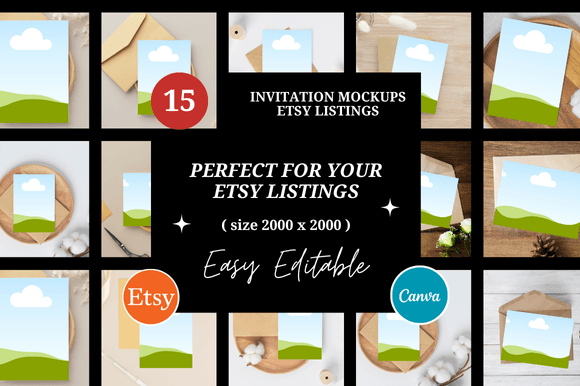
At its core, this collection of 15 customizable Etsy listing mockups is designed to communicate quality, style, and clarity. The visual style is intentionally clean, modern, and versatile. Think of them as a sophisticated frame for your work. They avoid distracting backgrounds or overly complex scenes, instead focusing on presenting your invitation designs, printable papers, or digital templates in a realistic, context-aware setting. The personality is professional yet approachable—exactly what you need to build trust with a discerning audience of planners, crafters, and event organizers.
The appeal lies in their practical application. These aren't just pretty pictures; they are templates built within Canva, sized perfectly at 2000x2000 pixels for Etsy's square listing format. This means you can easily drag and drop your own designs onto the mockup scene, adjust colors to match your branding, and create a cohesive, gallery-worthy set of images for a single product or your entire shop. The result is a polished, professional look that elevates your brand identity and makes your digital products feel tangible and desirable.
Strategic Applications for Designers and Sellers
The true value of a tool like this is in how it solves real-world problems for creators and entrepreneurs. Here’s where these mockups become indispensable:
- For Etsy Digital Shop Owners: This is your primary use case. Use the mockups to create a consistent, branded set of listing images for every product. Show your invitation paper in a flat lay with props, or demonstrate the digital file on a tablet screen. This consistency builds recognition and makes your shop look established and trustworthy.
- For Graphic Designers and Brand Strategists: When presenting a new brand identity or a suite of stationery designs to a client, use these mockups in your portfolio or pitch deck. They transform flat design files into a compelling visual story, helping clients visualize the end result and perceive the higher value of your premium font and design work.
- For Marketers and Content Creators: Need to promote a new digital product on social media? These mockups are perfect for creating eye-catching social media graphics for Instagram, Pinterest, or Facebook. A well-styled mockup image can drive traffic to your Etsy listing far more effectively than a simple screenshot.
- For Bloggers and Publishers: Writing a tutorial about party planning or DIY projects? Use the mockups to beautifully illustrate printable elements you've created or are recommending, adding a layer of editorial design professionalism to your content.
Essentially, any project that involves showcasing a 2D digital design in a compelling, 3D context benefits. This includes packaging design concepts, web design hero images, or even physical product photography backgrounds.
Making Informed Choices for Your Brand
Integrating new design assets into your workflow requires thoughtful consideration. Here’s how to approach the Invitation Papers Listing Mockups for maximum impact:
- Evaluate the Fit for Your Niche: While versatile, examine the mockup scenes. Do they align with your product's aesthetic? If you sell rustic wedding invitations, ensure the props and styling in the mockups complement that vibe. If you sell modern minimalist planners, the clean lines of these templates will likely be a perfect match.
- Test for Readability and Hierarchy: When placing your design, check that the key text and visual elements remain clear and legible at a small thumbnail size. A great mockup enhances your design; it shouldn't obscure it. This is a critical readability consideration.
- Explore Font Pairings and Styling: Use the Canva link to customize the mockups. Experiment with adding your shop name or a promotional tagline using creative font pairings that reflect your brand. The mockup template provides the stage, but your typography sets the tone—whether that's a sophisticated serif font, a clean sans serif font, or an elegant script font.
- Understand the Licensing: The product description should clarify the commercial license. Typically, assets like this are licensed for you to create end products (your Etsy listings) for sale, but not to resell the mockup template itself. This is standard for commercial font and asset licensing, so you can use them confidently for your business.
Ultimately, investing in high-quality presentation tools like the Invitation Papers Listing Mockups is an investment in your shop's professionalism and growth. It saves you precious time that would otherwise be spent learning complex software or staging physical photo shoots, allowing you to focus on what you do best: creating beautiful digital products. By presenting your work with clarity and style, you not only attract more clicks but also build a stronger, more recognizable brand on Etsy and beyond.