50 Voting and Elections Line Icons for Visual Impact
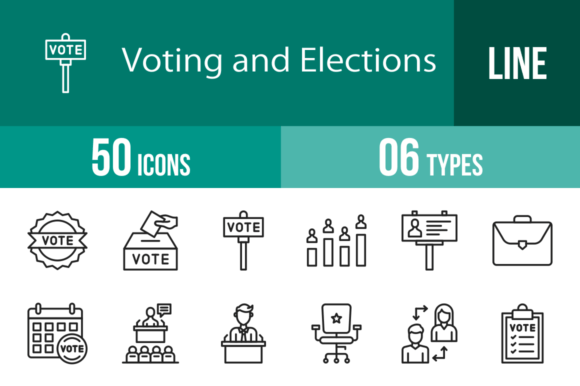
When you are working on a project related to government, civic engagement, or community decision-making, the visual assets you choose speak volumes before a single word is read. You need imagery that conveys authority, transparency, and participation instantly. That is exactly where a comprehensive set like the 50 Voting and Elections Line Icons becomes an indispensable part of your toolkit. This collection is not just a random assortment of graphics; it is a curated system of visual communication designed to handle the nuances of electoral processes, from the local school board to national campaigns.
Clarity and Consistency in Civic Design
The strength of this icon set lies in its adherence to the unigrid system. If you have ever struggled with a design where one icon looks heavy and blocky while another is thin and spindly, you understand the frustration of visual inconsistency. By using a unigrid system, these icons ensure that whether you are using the Ballot Paper, the Voting Booth, or the Ballot Box, they all occupy the same visual weight and alignment. This is crucial for professionalism and brand identity. When you are building a website or a presentation for a campaign, this consistency builds trust with your audience. It signals that you care about the details, which is a subconscious message that resonates strongly in politics and governance.
Visually, these are clean, modern line icons. They are 100% vector, meaning they are mathematically defined paths rather than pixels. This characteristic is vital for modern typography and graphic design because it allows for infinite scaling. You can take the Debate icon and place it on a massive billboard, or shrink the Handshake icon down to a tiny mobile app button, and the lines will remain crisp and legible. There is no pixelation, no blurring. This scalability is a massive advantage for responsive web design and multi-platform campaigns where your assets need to look flawless on everything from a 4K monitor to a small smartphone screen.
Real-World Applications: From Mobile Apps to Print Media
One of the most practical aspects of the 50 Voting and Elections Line Icons is the sheer variety of file formats included: AI, CDR, EPS, JPG, PNG, and SVG. This versatility solves a common headache for designers and content creators. If you are a developer building a mobile app for voter registration, you need SVGs for fast loading and crisp rendering on high-DPI screens. If you are a marketer creating a social media post, the PNG files with transparent backgrounds are ready to drag and drop. If you are a print shop designing a ballot envelope or a packaging design for campaign merchandise, the vector formats (AI, EPS) ensure your printer gets the highest quality output.
Let’s look at specific use cases. Imagine you are a blogger writing an article about the history of women's suffrage. Instead of generic stock photos, using the Vote Cast or Flag icons can break up the text and add visual interest without overwhelming the page. For graphic designers working on editorial design, the Newspaper, Clipboard, and Speech icons are perfect for illustrating sections about media coverage and public discourse.
For entrepreneurs and small business owners, the applications are just as broad. A non-profit organization can use the Donation or Community (represented by Voters) icons to guide users through their website navigation. A political consultant can use the Bar Chart and Pie Chart icons within client presentations to visualize polling data effectively. The inclusion of 20 different PNG sizes—from 16x16 to 1024x1024—means you don’t have to waste time resizing. You simply pick the size that fits your column width or button size and insert it.
Enhancing User Experience and Hierarchy
In web design and social media graphics, icons serve as visual anchors. They break up monotonous text walls and help users scan information quickly. When a user lands on a page about "How to Register," seeing a Registration or Clipboard icon immediately confirms they are in the right place. This improves the user experience (UX) significantly.
The personality of these icons is neutral yet authoritative. They are designed as line icons, which gives them a lighter, more airy feel compared to solid, filled icons. This style works exceptionally well with sans serif fonts, which are often used in modern government communications for their readability. However, they can also provide a nice counterpoint to a serif font in a more traditional editorial design context, such as a newspaper layout.
Consider the Online Voting icon. In the era of digital transformation, this specific graphic is invaluable for tech companies developing e-governance solutions. It bridges the gap between the traditional concept of a physical ballot and the digital future. Similarly, the Security or Lock icons (if interpreting the "Safe" or "Security" aspect of voting) help establish a feeling of safety and integrity, which is a core requirement for any election-related branding.
Practical Guidance for Designers and Creators
If you are evaluating whether this set fits your project, consider the visual weight of your existing design assets. Because these are line icons, they pair best with clean, modern layouts. If your brand identity relies on heavy, textured, grunge aesthetics, you might need to add a stroke or effect to these vectors to make them fit, which is easy to do given they are 100% vector icons.
Here is a quick guide on how to integrate them effectively:
- Navigation Menus: Use simple icons like Home, Search, or Contact (often represented by a mailbox or phone) alongside the specific election icons to create a cohesive UI. For a campaign site, using the Campaign or Vote Check icon for the "Take Action" button is highly effective.
- Infographics: The Timeline, Calendar, and Clock icons are perfect for visualizing the election cycle. You can create a visual timeline of events from the announcement to the final vote count.
- Educational Materials: For teachers or crafters making educational kits about democracy, the Government, Law, and Justice Scale icons provide clear, recognizable symbols for complex concepts.
- Merchandise: The Winner and Badge icons work great for stickers, buttons, or T-shirts celebrating election victories or encouraging civic duty.
When choosing icons, always test them at the actual size they will be viewed. An icon that looks distinct at 64px might lose its detail at 16px. Fortunately, because this set is optimized for maximum usability, the lines are spaced to remain legible even at the smallest sizes, such as the 16x16 and 24x24 options provided.
A Versatile Asset for Every Creator
Ultimately, the 50 Voting and Elections Line Icons are more than just decorative elements; they are functional design assets. They help marketers tell a story, developers build intuitive interfaces, and designers maintain a polished brand identity. Whether you are working on a commercial font project that requires supporting graphics, or a personal blog about civic responsibility, this collection provides the visual vocabulary you need.
The ability to edit these vectors easily means you can match them to your specific color palette in seconds. Change the stroke color to match your campaign's primary color, or adjust the line cap to round off the corners for a friendlier feel. This flexibility ensures that while the icons come as a pre-made set, the final result is uniquely yours. For anyone involved in the visual side of politics, governance, or community organizing, having a reliable, scalable, and comprehensive icon set like this is not just a convenience—it is a strategic necessity.